 LINKINFO
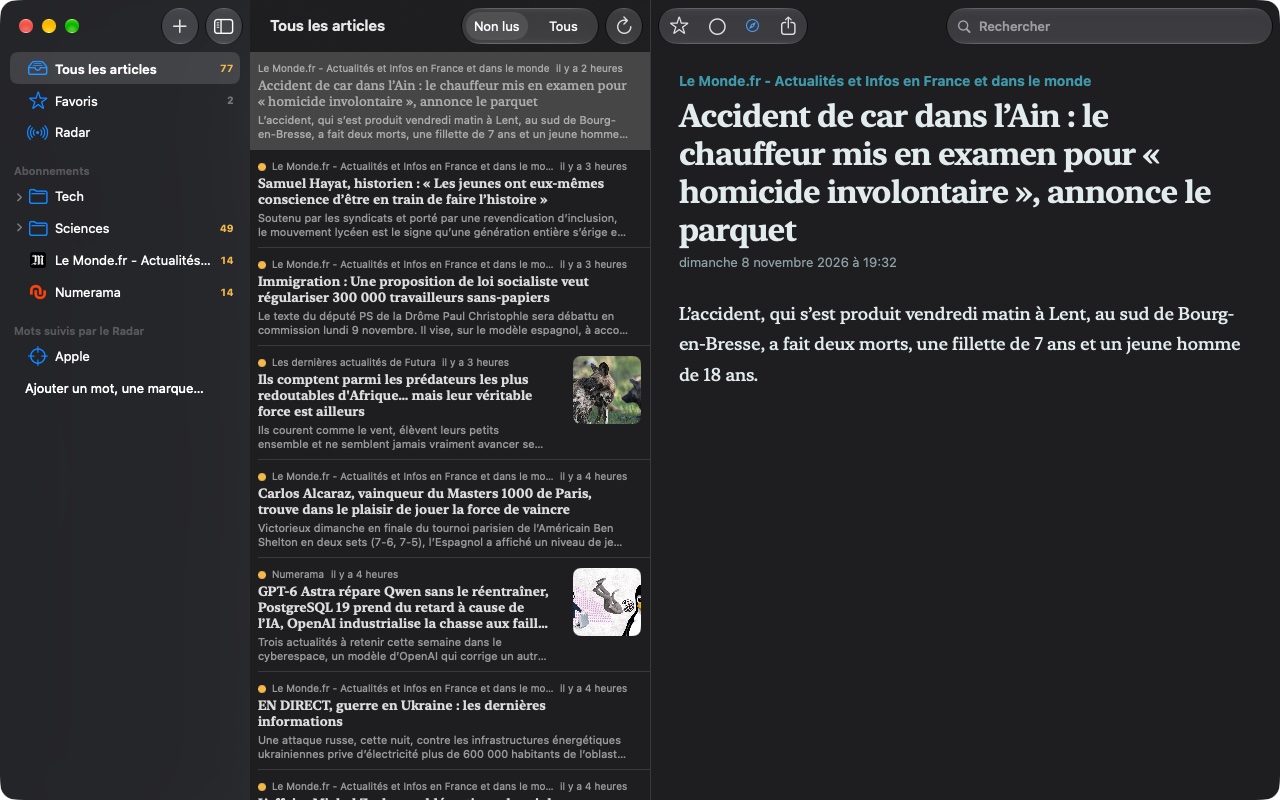
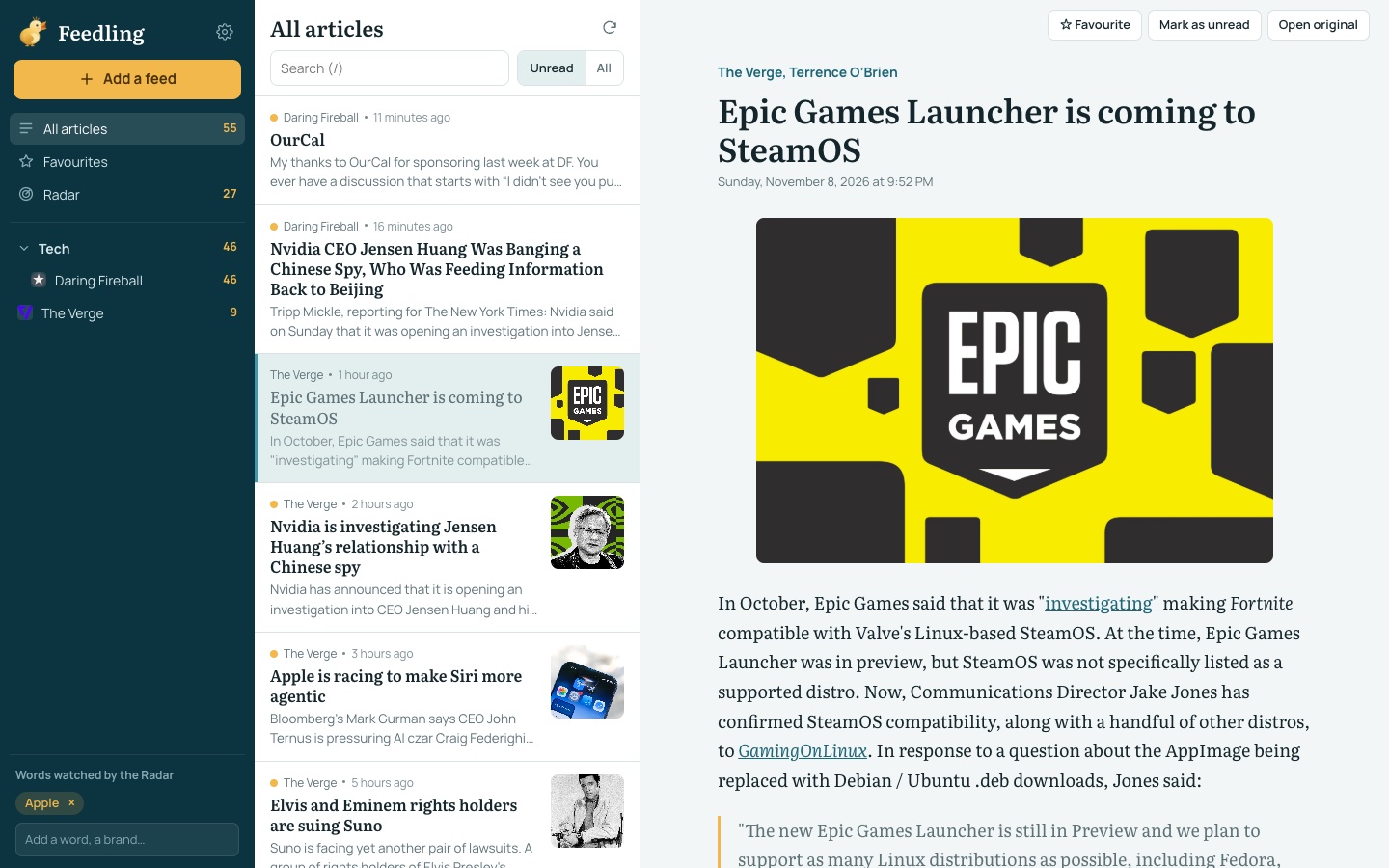
Follow your favourite newspapers, blogs and sites with no algorithm or social network in between: Feedling gathers their articles in a single list, newest first. Paste a site's address and Feedling finds its feed on its own. Your account syncs subscriptions, read articles and favourites between your browser, Mac and iPhone: what you read on the train is already read at the office. And the Radar keeps an eye on the topics that matter to you, across all your feeds at once. Feedling is free, with no ads.
What Feedling does
One stream to read everything
Articles from all your sites, organised your way.
- Paste a site's address: Feedling finds its RSS or Atom feed on its own.
- Sort your feeds into folders, rename them, and read one feed, one folder or everything at once.
- Unread / all filter, search in titles and summaries, favourites to keep an article.
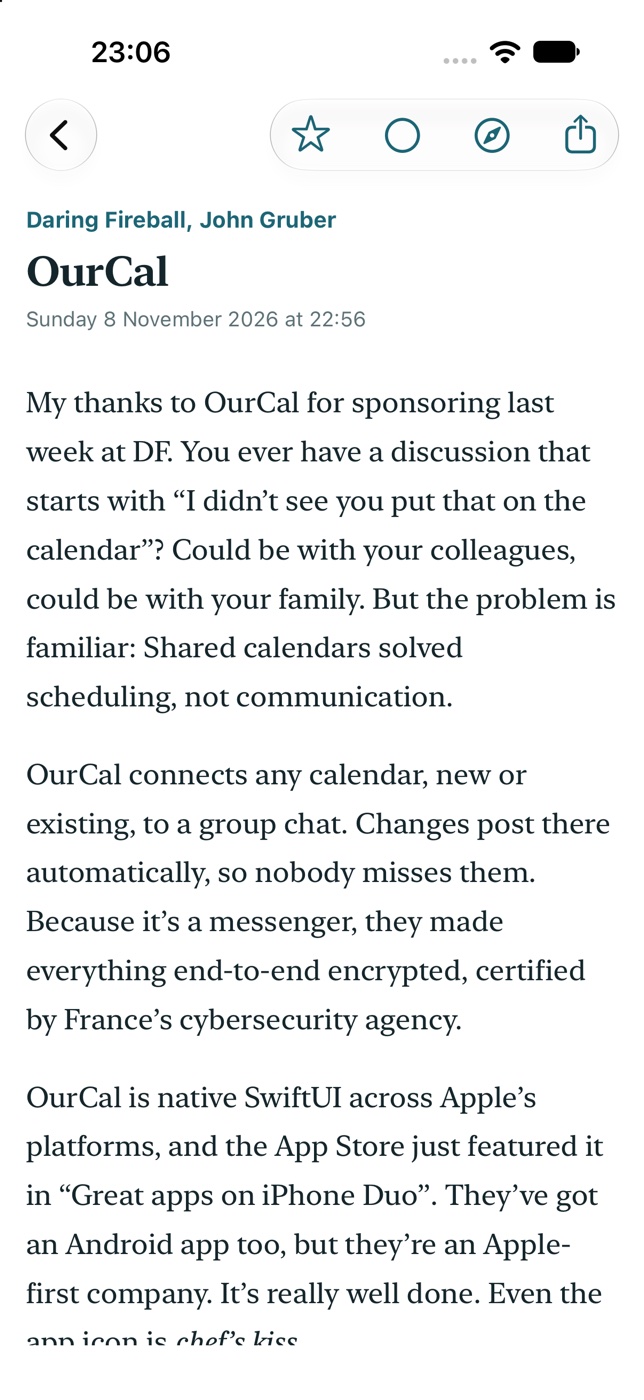
- Articles are shown in reader mode, with their images, in a typeface made for long reading.
The Radar
The topics you care about, spotted across all your feeds at once.
- Add watched words: a brand, a person, a topic.
- Every article that mentions them lands in the Radar, whichever site published it.
- A counter shows how many unread articles are waiting for you there.
One account, all your devices
Start on the Mac, finish on the iPhone.
- Subscriptions, folders, read articles and favourites are synced between the web, Mac and iPhone.
- Feeds are checked every 15 minutes by the server, even when your devices are off.
- Come from Feedly, Inoreader or NetNewsWire by importing an OPML file, and leave whenever you like with the export.
- Your account can be deleted in one click, along with all its data.
Fast on the keyboard
To sort a hundred articles in a few minutes.
- j and k to move between articles, s for a favourite, m for read or unread, v to open the original.
- On iPhone, swipe an article to mark it as read or keep it as a favourite.
- Mark all as read in one go, without touching articles that arrived in the meantime.
In pictures
A coffee for what's next
Feedling is free, ad-free, and will stay that way. I develop it in my spare time: every coffee helps fund the next versions, fixes and new features, and tells me the app is useful to you.
Installation
- Download the .zip fileIt unzips on its own in the Downloads folder.
- Drag Feedling to ApplicationsIn the Finder, into your Mac's Applications folder.
- Open FeedlingThe app is signed and notarized by Apple: it opens without a warning.
Requirements
- Free, with no ads; an account (email address and password) to find your feeds everywhere.
- In French, English and Spanish.
- Web: a recent browser (Safari, Chrome, Firefox, Edge), on a computer, tablet or phone.
- Mac: macOS 14 Sonoma or later; automatic updates from the app.
- iPhone and iPad: iOS 17 or later.


